


Songs that fill the screen
Bring your library from OpenLyrics, SongSelect or ChordPro. Words sit large over looping motion backgrounds, with the credit tucked in the corner.
Lyrics, slides, videos, scripture and announcements on every screen in the room and out to the stream. One app for whoever's running it: a service, a conference, a classroom or a Friday-night gig.
Windows, macOS and Linux
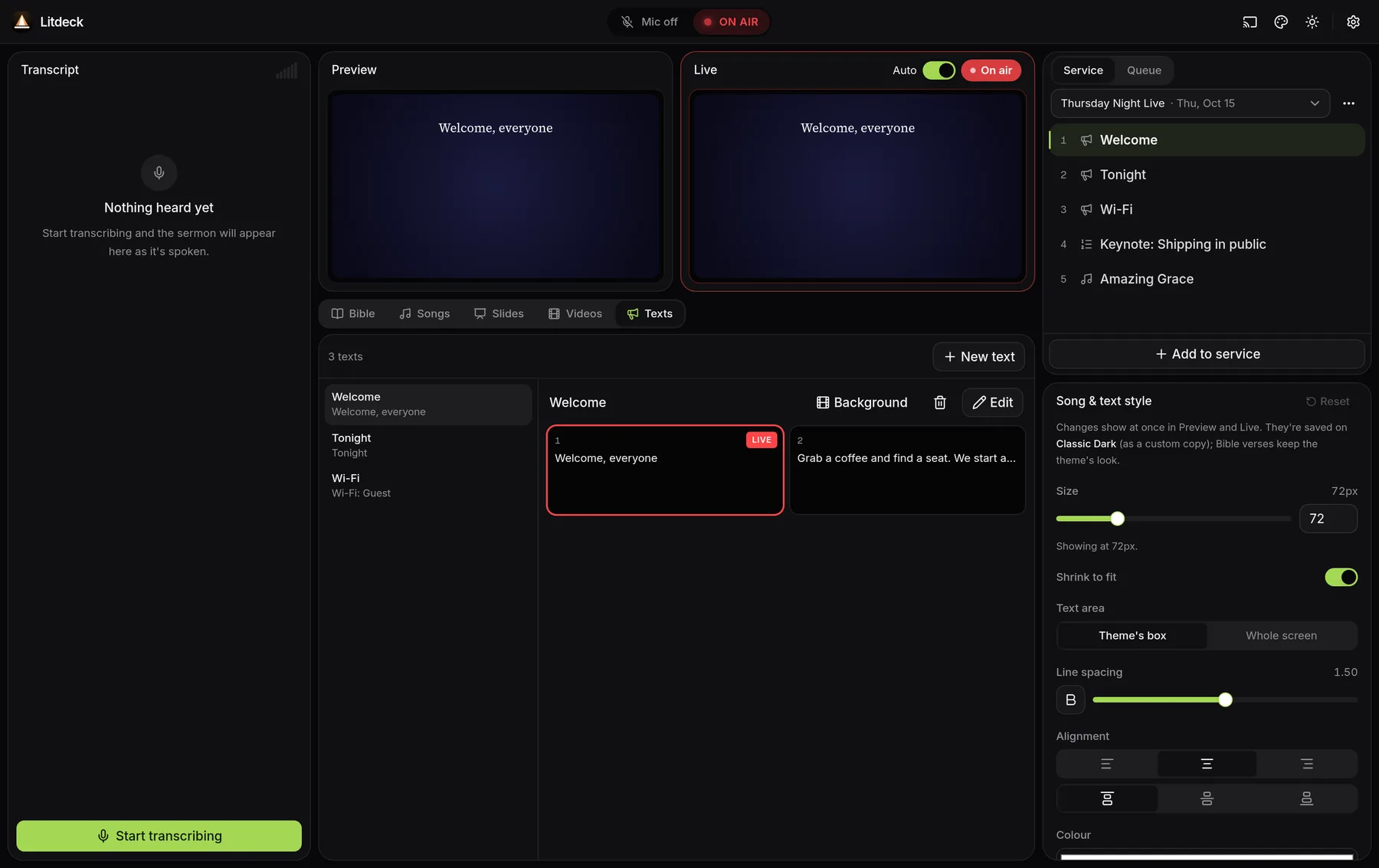
What you see below is Litdeck itself, not a mock-up. One window for the whole show, built for the volunteers and crews who run it.
Litdeck doesn't mind what the occasion is. If there's an audience and a screen, it'll run the show, from a classroom projector to a festival stage.
Speaker slides, session titles and sponsor loops, with what's next on the confidence monitor.
Slides · Texts · VideoLyrics over motion backgrounds for the crowd, clean lower thirds for the stream.
Lyrics · Backgrounds · NDIStep through a deck, play a clip in sync on every screen, put the reading up in big type.
Slides · Video · TextsSongs, readings and notices in one running order, and verses found as they're spoken.
Lyrics · Scripture · ListeningKeyable graphics straight into OBS or vMix over NDI, each feed with its own look.
NDI · Themes · RemoteWeddings, quiz nights, community meetings, launch parties. If it has a screen, it fits.
Whatever the night needsOne app for the whole show, from the first song to the last notice. No second program for the stream, no juggling windows.
Bring your library from OpenLyrics, SongSelect or ChordPro. Words sit large over looping motion backgrounds, with the credit tucked in the corner.
Line the night up. Drag to rearrange, click to bring anything up.
Size, spacing, alignment and outline, changed right next to the song, and seen in Preview at once.
Play on every screen at once, in sync, with sound only from the operator's computer.
Write welcomes, schedules and Wi-Fi details straight into Litdeck, and put them up like lyrics.
Drive projectors and confidence monitors, and send clean, keyable graphics to OBS or vMix over NDI.
Import a deck as PDF or images and step through with the arrow keys or a clicker.
Turn on listening and Litdeck follows the speaker. Give a Bible reference, or simply quote a verse, and it finds the passage and gets it ready for the screen. Not that kind of event? Leave it off; nothing else depends on it.
“Romans eight twenty-eight” or the verse itself, word for word or close to it.
Each find waits in the queue for you to put up, or let it go live on its own.
Run speech recognition offline with Whisper, or use Deepgram for the sharpest ear.
Do the work ahead of time, so on the day you can watch the room instead of hunting for the next slide.
Build the running order: songs, slides, videos, notices and readings. Pick a theme for each screen and check how everything sits in Preview.
Everything goes out to the projectors, the confidence monitor and the stream together, with what's next always beside what's live.
Drive it from a Stream Deck, a phone or any OSC or HTTP controller, or turn on listening and let it pick up Bible references as they're spoken.
Download Litdeck and have your first show lined up before the coffee's cold.